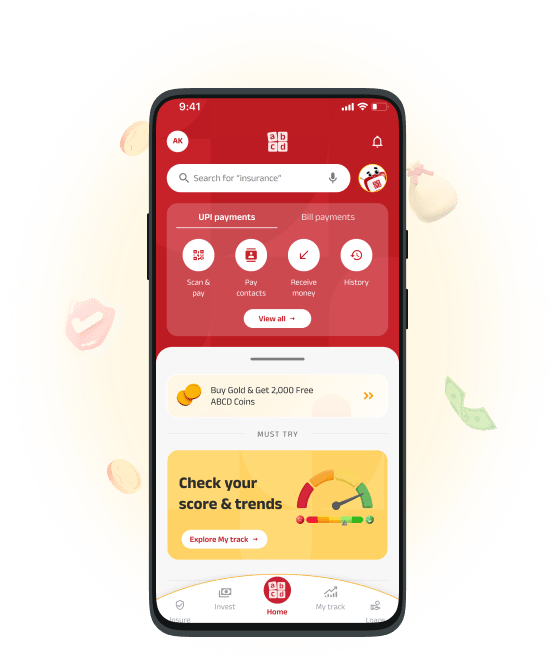
Unlock Financial Tools, Investment Insights, And Expert Guidance – All In One Convenient App !
Visit Our ABCD Page PLAY STORE
 APPSTORE
 1800 270 7000

 Download


Health Insurance

Housing Finance
Life Insurance

Mutual Funds

Personal Insurance

SME Finance

Stock & Securities

 Home Loan
Find customised home loan solutions for your unique needs
 Balance Transfer
Find a better interest rate for your existing home loan
 Top up Home Loan
Get a loan on your existing home loan to meet your needs




 Personal Loan
Meet all your dreams and needs with a collateral-free Personal Loan
 Flexi Loan
Make loan repayment flexible and hassle-free with Flexi Loans
 Instant Personal Loan
Get quick funds with Aditya Birla Capital Instant Personal Loan
 Long Term Personal Loan
Enjoy affordable repayments and a flexible tenure with Aditya Birla Capital
 Personal Loan Eligibility
Check your Aditya Birla Capital Personal Loan eligibility
 Personal Loan Interest Rates
Enjoy low personal loan interest rates for affordable repayments
Loan for SalariedLoan for Salaried, you don’t have to. Get quick funds without collateral and a flexible repayment tenure.
Loan for Self-EmployedLoan for Self-employed. Get quick funds without collaterals and a flexible repayment tenure for affordable EMIs.
Are you eligible for a Personal Loan? Find out now!
Calculate Now Secured Business Loan
Boost your business with competitive rates & flexible terms
Line Of CreditGet anytime funds, quick approval, & ongoing support with Line of Credit
Working Capital LoanStrengthen your business cash flow with quick access to funds & flexible repayment options
Supply chain financing Solution - Invoice DiscountingImprove your cash flow & gain quick access to funds by discounting your invoices
 Unsecured Business Loan
Fuel your business with fast approval & flexible terms
Machinery LoanEmpower your ambitions with customized Machinery Loans
Rooftop Solar LoanMaximize Your ROI with Strategic Energy Funding



 Construction Finance
Our solutions with Flexible funding, project requirements to drive construction forward.
Commercial Property PurchaseTurn your property vision into reality with flexible terms and competitive interest rates.
Lease Rental DiscountingSupporting real estate businesses in project completion
Mauris Porta Arcu Id Tortor Pulvinar Cursus. Mattis, Diam Id.
CALCULATE NOWLoan Against SharesLeverage your investments with Loan Against Shares, while retaining ownership of your assets
Loan Against Mutual FundsUnlock the value of your investments while keeping your assets intact
Loan Against Life insurance PolicyGet loans for all your business needs at attractive rates
Promoter FundingEmpower your business growth with financial solutions to support expansion & ownership
Project FinanceTurn your ideas into reality with flexible funding to support your vision from start to finish
Structured FinanceUnlock customized financial solutions designed to meet the unique needs of complex business projects
Working Capital Demand LoanKeep your business running smoothly with quick access to funds for day-to-day operations
Term LoanAchieve your business goals with flexible repayment options & competitive rates for long-term growth
 Debt Funds
Diversify your portfolio and reduce risk with Debt Funds
 Equity Funds
Invest smartly in Equity Funds to aim for higher returns
 Hybrid Funds
Diversify your portfolio and reduce your risk with a mix of equity and debt
 Retirement Funds
Goal-oriented fund with a lock-in period to create a corpus for retirement
 Children’s Funds
Secure your child’s financial future with solutions-oriented children’s funds
 Exchange Traded Funds
Unlock a smart, hassle-free way to invest in various assets
 Fund Of Funds
Choose the smart way to diversify risks and grow investments
 Index Funds
Follow the benchmark of smart investors to grow your wealth
 All Funds
Explore, Compare, and Invest in Top Mutual Funds

Calculate wealth creation through lumpsum investment in Mutual Funds
Calculate Now


 Equity Trading
Invest or trade in equity for attractive returns and long-term capital growth
Margin Trading FacilityGet up to 5X leverage on leading stocks & increase your trading power
 Bonds
BondsGive your portfolio stability with attractive returns


Start trading in equities and other securities. Grow your wealth with our Demat account.
 Attractive returns
- Liquidity
- Diversification
- Ownership in a company









 Term Insurance
Bring security and peace to life’s unpredictability
 Retirement Plans
Get a guaranteed regular pension plus lump sum on plan maturity
Savings PlansGet a guaranteed regular pension plus lump sum on plan maturity
 ULIP Plans
Get the benefits of insurance & wealth creation in one convenient plan
Find out how much life insurance you need with our Human Life calculator
Calculate Now


 Health & Wellness Plans
Make quality health care affordable and accessible
 Super Top-up Plans
Get extra coverage when you need it most
Active One Max PlansA comprehensive Health Insurance plan for all your healthcare needs
Health Saver CardThe Health Saver Card helps reduce expenses while keeping you healthier





 Eye Insurance
Protect your vision with comprehensive eye insurance.
Dental InsuranceProtect your smile with comprehensive dental insurance and coverage plans tailored for you.
Hospicash InsuranceGet financial support with our hospital cash insurance for unexpected medical expenses.
 Mental Health & Nutrition Insurance
Get the best mental health insurance online with ABCD Aditya Birla Capital today!
 Personal Accident Insurance
Secure your future with our affordable personal accident insurance plans.
Tele OPD ConsultationsAccess convenient teleconsultation and video doctor consultations for your health needs.
 Aditya Birla Capital Limited
Aditya Birla Capital Limited (‘ABCL’) is a listed systemically important, Upper Layer Non-Deposit taking Non-Banking Financial Company (NBFC-ICC) and the holding company of the financial services businesses. ABCL and its subsidiaries/JVs provide a comprehensive suite of financial solutions across Loans, Investments, Insurance, and Payments to serve the diverse needs of customers across their lifecycles. Powered by over 66,500 employees, the businesses of ABCL have a nationwide reach with over 1,759 branches and more than 200,000 agents /channel partners along with several bank partners.

Nationwide Branches
1,759
No. of Employees
66,500
Agents/Channel Partners
2,00,000+
Aggregate Assets
INR 7.53 Lakh Cr
Consolidated Lending Book
INR 2.19 Lakh CrCorporate Governance Policies
- Policy for appointment of Statutory Auditors
- ABCL NRC Policy
- Corporate Social Responsibility
- Fair Practices Code
- Internal Guidelines on Corporate Governance
- Familiarization Programme for Independent Directors
- Disclaimers
- Ombudsman
- Privacy Policy
- Trademark Policy
- Vigil Mechanism / Whistle Blower Policy
- Regulatory Disclosure
Financial and Debt-Related Policies
Business and Partnership Policies
- Outsourcing FAQ’s
- Press Releases
- Our Digital Lending Platform Partners
- ABCL List of active CLA Partners
- List of Third parties
- Our Digital Referral Partners
- ABCL Collection and Recovery Agency List
- ABCL Terminated Collection and Recovery Agency List
- Importance of Following Repayment Schedule
- Scheme of Amalgamation
- SEBI Disclosures
- Interest Rates & Service Charges
- Discontinued Service provider list
- Terms & Conditions
- Fraud Awareness
- Archival Policy
 Life Insurance
 Health Insurance
 Mutual Fund
 Home Finance
 Personal Finance
 Stocks & Securities
 Credit Track
Check your credit score and get tips on how to improve it
Health TrackHealthy living made easy with ABCD’s Digital Health Evaluation
Portfolio TrackBring your assets and liabilities under one platform
Spend TrackManage your money effectively with Spend Track.
Vehicle TrackCheck Vehicle & Car Insurance Status/Validity Online
Digital WillA digital will is a legally valid document created through a secure online platform
 Read About Loans
Money management made easy
 Read About Taxation
Understanding direct and indirect taxes
 Read About Citizen Services
Know how to plan retirement well
 Read about Insurance
Insurance and it's aspects for laymen
 Read About Credit & Banking
 Investments and their jargon - simplified
Read about InvestingInvestments and their jargon - simplified
 Read About Personal Finance
Know all about loans and their management
Read About PaymentsKnow all about loans and their management
 Personal Loan EMI Calculator
Estimate your monthly loan repayments with Personal Loan EMI Calculator
Home Loan Eligibility CalculatorCalculate the expected EMI of your loan for easier repayments
BMI CalculatorIt measure your leanness or obesity basis your height and the weight.
Income Tax CalculatorCalculate the tax payable by you based on your income
SIP CalculatorEstimate the returns you can earn with your SIP investments
SWP CalculatorCalculate the Life Insurance cover you need to secure your family’s future
SSY Calculator Calculate Maturity Amount for your Recurring SSY
Personal Loan Eligibility Calculator Calculate the Personal Loan amount you are eligible for

Experience ConseQuest- A game where your decisions drive your future.
- Wisdom in Choices
- Life Optimised
- Simplifying Success










.webp?extension=webp)
.webp?extension=webp)


Issue Type
Initial Response
My name is --------------, and I’m here to assist you with your concern regarding linking your bank account on the ABCD App.
I will look into this issue, which may take a few minutes. Your patience is greatly appreciated.
Thank you for being online, and I apologize for the longer wait.
Agent Action
NAResponse
To help resolve this, please confirm whether you’ve tried the following steps:Ensure the mobile number registered on the ABCD App is the same as the one linked to your bank account.
If using a dual SIM device, ensure the bank-registered number is placed in the primary SIM slot.
If you have recently ported your number to a new carrier, we suggest attempting to link your account after a few days.
Confirm your network connection is stable and active.
Ensure you're using the latest version of the ABCD App.
Verify that your bank account is active and not dormant.
Ensure the name registered with your bank matches the name on your ABCD App profile.
Double-check the bank details entered—account number, IFSC code, and bank name.
If the customer has already tried the above steps and the issue persists:
May I request you to share the specific error message or a screenshot of the issue so we can investigate further?
If the error/screenshot is shared and the issue cannot be resolved immediately:
Thank you for sharing the details. This is a technical issue that needs the intervention of our technical experts. Kindly email the error screenshot to care.digital@adityabirlacapital.com. Our technical experts will review and get back to you within 2 working days.
Is there anything else I may assist you with today?
If the customer says Yes: Address the query accordingly and update closure comments before ending the chat.
If the customer says No: Click the End Chat button and close the SR with appropriate comments.
SR Closure Comment
1. Logout and relogin again in the app.
2. Reset mobile network and try again.
3. Is your network temporarily down or experiencing higher traffic than normal?
4. Turn your device off, then turn it on again.
If the issue still persists, please attach the screenshot of the error you are facing and email to us at Care.digital@adityabirlacapital.com. We will take up the issue with our technical experts and get back to you within 2 working days.